We have already learnt what is a threat in earlier writings. If not visited yet, here are the detailed details!! “Prevention is better than cure!”, the elders’ sayings should not be passed over. Like Voldemort having horcruxes, bad always have several forms. Now we shall plunge into some of the types of threats, prevention and protection from them!!
Malware: It is a software that performs a malicious task on a target device or network, Ex. Illegal access of a device. There are many forms of malware. Some of them goes like these..
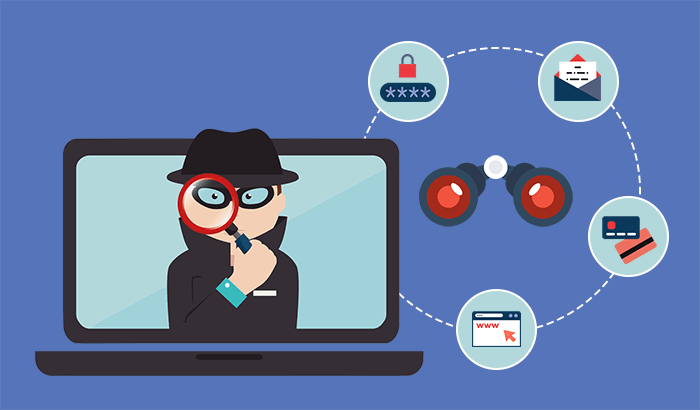
- Virus: They are designed to damage its target computer by corrupting data, reformatting your hard disk, or completely shutting down your system. A virus can copy itself and spread to other computers by attaching themselves to programs and executing code when a user runs the infected program. A computer virus requires human action to spread to other computers and are often spread through email attachments and internet downloads.
- Worms: They spread over computer networks by exploiting operating system vulnerabilities. It’s a standalone program that replicates itself to infect other computers, without requiring action from anyone. Since they can spread fast, worms are often used to execute a payload – a piece of code that can cause damage to a system.
- Trojan: In Greek mythology, there’s a famous tale of the invasion of the city of Troy. The Greeks, who had been trying to gain access into the walled city, finally decided to hide themselves in a giant wooden statue of a horse under the guise of a gift. The Trojans allowed the gift inside, then in the dead of night ,the Greeks broke out of the statue and attacked the city
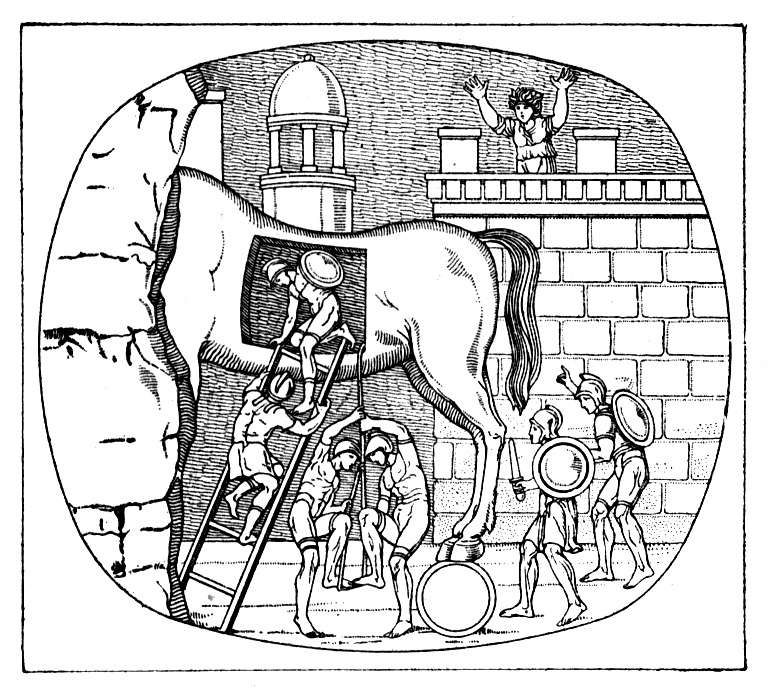 . In computer security, we have malware that functions like a Trojan horse, and it’s named after this exact thing. It enters your system disguised as a normal, harmless file or program to trick users into downloading and installing malware. As soon as you install a Trojan, you are giving cyber criminals access to your system. This allows the cyber criminal to steal data, install more malware, etc.
 - Spyware: It is designed to track your browsing habits and internet activity. Spying capabilities can include activity monitoring, collecting keystrokes, data harvesting of account information, logins, and financial data, and more. Spyware can spread by exploiting software vulnerabilities, bundling with legitimate software, or in Trojans.
- Ransomware: It is a type of malware that hold your data captive and demands payment to release the data back to you. It restricts user access to the computer by either encrypting files on the hard drive or locking down the system and displaying messages that are intended to force the user to pay the attacker to release the restrictions and regain access to the computer. Once the attacker is paid, your system and data will be back to its original state.
- Bots: It is a type of malware that can utilize someone else’s machine to perform a task that is centrally controlled by the attacker. These compromised machines are known as Bots. If there are a collection of one or more Bots, we call that network of devices a Botnet. Botnets are designed to utilize the power of the Internet-connected machines to perform some distributed function.
- Rootkit: A rootkit by its name is a kit for root, meaning a collection of software or tools that an admin would use. It allows admin level modification to an operating system. A rootkit can be hard to detect because it can hide itself from the system using the system itself. The rootkit can be running lots of malicious processes, but at the same time those processes wouldn’t show up in task manager because it can hide its own presence.
- Logic bomb: It is a type of Malware that’s intentionally installed, after a certain event or time has triggered, it will run the malicious program.
To read more about malwares, here are the references:
- What is Malware?
- Learn deeper with Wikipedia!!
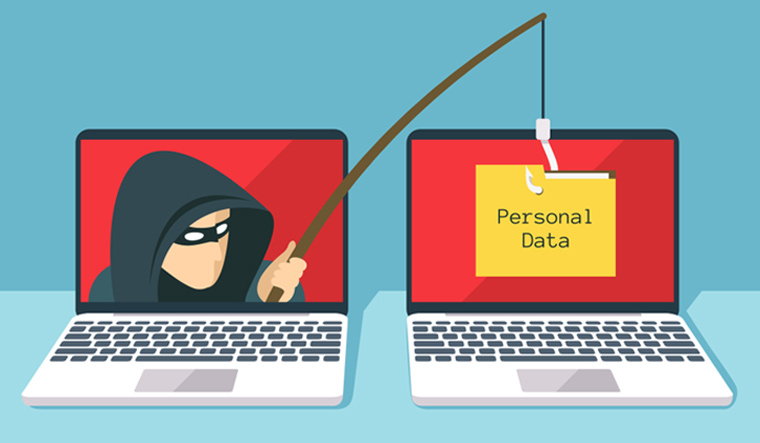
Phishing: It is a cyber attack that uses disguised email as a weapon. An email-borne attack that involves tricking the email recipient into disclosing confidential information or downloading malware by clicking on a hyperlink in the message. Nearly a third of all breaches in the past year involved phishing, according to the 2019 Verizon Data Breach Investigations Report. Learn More!!
Man in the middle attack(MitM): Where an attacker establishes a position between the sender and recipient of electronic messages and intercepts them, perhaps changing them in transit like Mallory between Alice and Bob (reference). The sender and recipient believe they are communicating directly with one another. A MitM attack might be used in the military to confuse an enemy. More information.
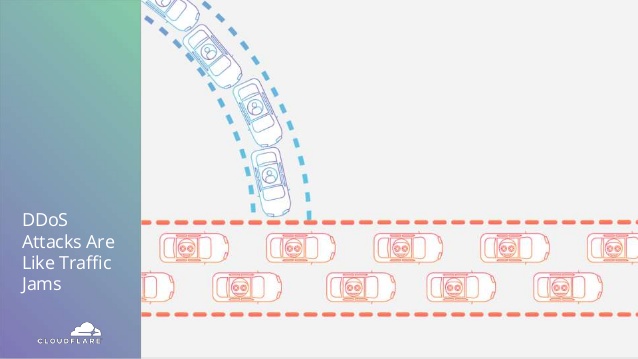
Denial of Service attack or Distributed Denial of Service Attack (DDoS): It is a malicious attempt to disrupt normal traffic of a targeted server, service or network by overwhelming the target or its surrounding infrastructure with a flood of Internet traffic. DDoS attacks achieve effectiveness by utilizing multiple compromised computer systems as sources of attack traffic. From a high level, a DDoS attack is like a traffic jam clogging up with highway, preventing regular traffic from arriving at its desired destination. Simply, here an attacker takes over many devices and uses them to invoke the functions of a target system, e.g. a website, causing it to crash from an overload of demand. More enlightenment!!
Here are some citations:
- Awareness on threats.
- Common threats.
- Cyber Threats
Preventive Measures:
- Keep all your applications or software updated.
- Do not download anything from suspicious sites. Use official websites for downloads.
- Install antivirus in your devices and keep them updated!
- Never share your passwords, card details or any private details with anyone.
- Get yourself more educated about the attacks and how they work.
- If in a business, perform penetration tests, vulnerability checks, threat monitoring, etc. to be secured. (We shall learn about these in the later writings)
- Inform to the officials if any anonymous calls or threats reach you.
- Do not respond to any suspicious mails or spam!!!
More learning here:
- Incident response: It is a structured methodology for handling security incidents, breaches, and cyber threats. A well-defined incident response plan allows you to effectively identify, minimize the damage, and reduce the cost of a cyber attack, while finding and fixing the cause to prevent future attacks.
- How can I?
- Protect yourself!!
If you reveal your secrets to the wind, you should not blame the wind for revealing them to the trees.
Kahlil Gibran
So be safe and keep learning!! Stay updated for more information storm!!
Stay Home Stay Safe!
 Techprodezza
8 thoughts on “Threats and Protection”