Have you been wondering about the difference between different packages that python provides you to deal with different types of numerical datasets? Well, then you have stumbled upon the right place. Numpy i.e. NUMERICAL PYTHON will not be a nightmare to you anymore!!!
Numpy our friend here , deals with performing numerical operations on arrays , easily and swiftly.
Performing numerical operations on individual elements in lists is simply not feasible. To overcome this limitation , we have numpy .
An alternative to numerical lists: numpy arrays.Which makes large calculations, easy and fast.
N_arr = np.array(list)
Syntax to convert a list into numpy array
Before that though, don’t forget to import the numpy package!!!
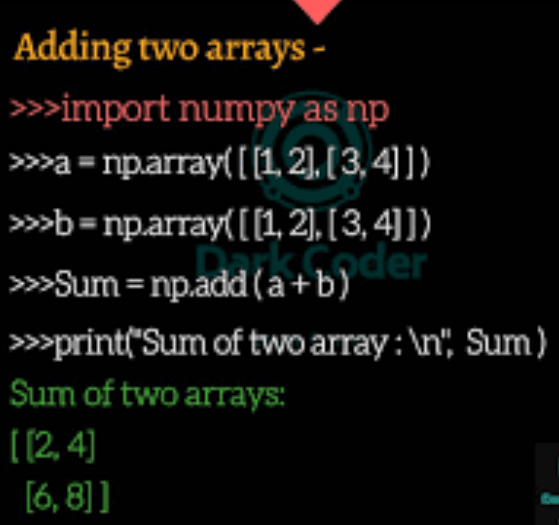
Subsetting or Accessing elements in numpy array is quite simple
- np_arr returns the entire array.
- np_arr[2] returns the third element of array.
- np_arr >13 returns boolean values of each array as true or false for value for greater than or less than thirteen.
- np_arr[np_array>13] returns array of elements greater than 13.
Note:
Numpy array is itself a data type hence it has its own set of methods.
Numpy array are homogeneous, they stores all values in a single data type that is . If you try to build such a list, some of the elements’ types are changed to end up with a homogeneous list. This is known as type coercion.
[3, ‘here’,5.6] – The numpy array elements will be stored as string data elements.
Numpy arrays can be N-dimensional , like a matrix.
N_arr.shape will return (rows,columns) present in the n_arr respectively
.shape is an attribute which returns the structure of the array respectively.
Type returns numpy.ndarray this basically means n dimensional arrays.
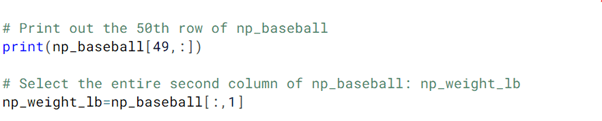
Subsetting of N-D arrays can be done in both these formats, specifying rows and columns respectively.
NUMPY WITH STATS
numpy makes it incredibly easy to perform basic statistical operations on humongous datasets.
- Np.median(nd_arr[:,0]) -for getting median value
- Np.std(nd_arr[:,0]) -to get standard DEVIATION
- Np.sum(n_arr[:,0]) -to get sum of the entire array
- Np.sort(nd_arr[:,0]) -to sort the entire array
Fun fact : True in python holds the value 1 and thus False holds the value 0. If they are part of a numpy array and are to be added with other integers , they add up to give integer result.
np.array([True]) +np.array([1]) will result in 2
Guess, that was all you need to know about numpy for now. Later, in the upcoming projects you can unravel more wonders of numpy as and when they are needed.
 Techprodezza